Hypercom 1998 Theme
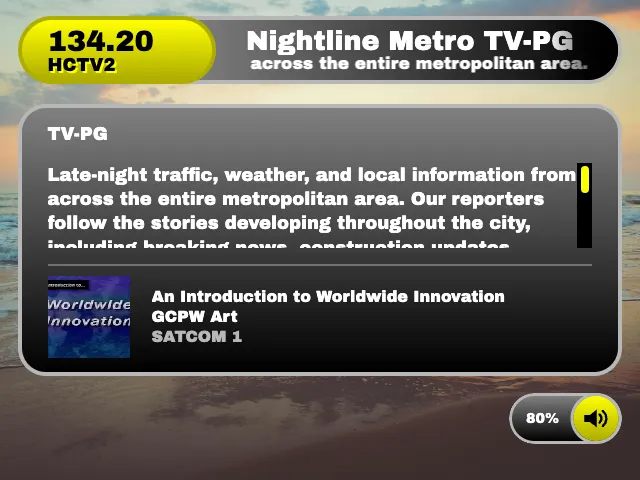
Hypercom 1998 is an original theme inspired by late-1990s video appliances. Currently it has the most complete menu system in TVS.
Use it as the default theme:
osd: theme: hypercom1998Or use it in a specific component:
osd: tuner: theme: hypercom1998 info: theme: hypercom1998 receiver: theme: hypercom1998 menu: theme: hypercom1998Program information
Section titled “Program information”This theme supports navigation controls. Use NavUp and NavDown to scroll a long description.
When background audio metadata is available, the lower section shows its cover art, song, artist, album, and station name.
Menu system
Section titled “Menu system”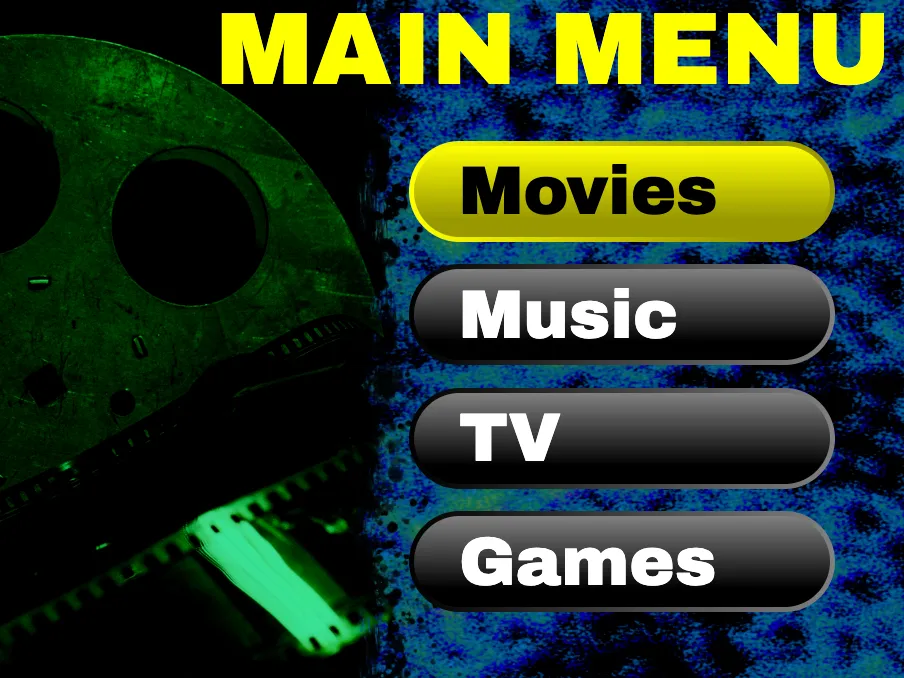
Press Menu to open the main menu. The Home button currently isn’t used with this theme. The available sections are generated from the current config:
- Movies, TV, and Music appear when at least one media server is configured. If multiple servers are defined, you’ll be prompted to pick one.
- Guide browses current and upcoming internal guide data.
- Configured application categories appear when they contain at least one application.
- Settings controls picture effects and the Audio Player and Video Player.
The menu mutes channel and application audio while it is open. Up, Down, Left, Right, Select, and Back navigate the current screen. Numeric input is delivered to menu pages and applications that support it, while Channel Up and Channel Down remain reserved for tuning.
Suspended applications appear at the top of the menu, if any are running. Select the app to resume it, or use the X to quit it.
The Guide menu provides:
- By Time: programs on every channel at a selected half-hour. Left and Right change the time, and numeric input jumps to a channel while preserving its selection and position in the list.
- By Channel: one channel’s schedule. Left and Right change channels; Red and Blue move backward or forward one day; numeric input jumps directly to a channel.
- Movies, Sports, Children, and News: upcoming programs grouped by title and category.
- Search: current and upcoming programs whose titles match the entered text.
Select a listing to open program information and all known channels and times for that title. Selecting an airing that is currently in progress tunes to its channel and closes the menu.
Hidden channels and channels numbered below 1 are omitted. Search and category pages show only current and upcoming programs.
Media libraries
Section titled “Media libraries”You can browse all your movies in a grid of movie posters. TV supports shuffled playback, browsing by seasons, and searching by show / episode title. Music supports shuffled playback, artists, albums, songs, genres, search, and instant mixes.
Playing a movie, TV show or music will launch the built-in audio or video players. During playback, you can press Back to suspend playback and go back to the last menu you were on, or press Menu to start from the main menu.
Settings and cleanup
Section titled “Settings and cleanup”Picture settings and built-in player preferences are saved in the browser. Factory Reset asks for confirmation, quits the current application, and clears all browser stored data.
Colors
Section titled “Colors”primaryColor controls headings, selected menu items, and the active channel or speaker gradient. It defaults to yellow.
accentColor controls unselected text and OSD copy. It defaults to white. Hypercom derives contrasting light or dark panel backgrounds and text colors where the browser supports CSS contrast colors.
osd: theme: hypercom1998 primaryColor: yellowgreen accentColor: blueThe theme does not currently define additional themeOptions.