Digital Cable Theme
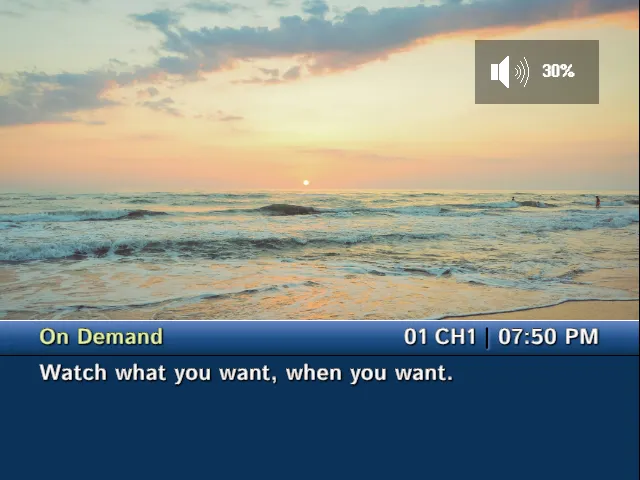
The digital cable theme is designed based on early 2000s cable boxes. The tuner and info screens use guide-style lower-third panels with the current time, channel number, channel abbreviation, program title, and program summary. When the info OSD is open, the currently playing channel is displayed in a picture-in-picture in the upper-right corner.
The design of the receiver OSD is based on surround sound receivers from the same era and shows volume and mute status in a panel in the upper-right corner of the screen.
osd: theme: digitalColors
Section titled “Colors”The digital theme uses primaryColor as the base guide color for the tuner and info panels. TVS derives lighter and darker shades from that color for the panel gradients. If you do not set it, the theme uses a dark cable-guide blue.
accentColor highlights the current program title and selected metadata. If you do not set it, the theme uses a pale yellow-green.
The digital receiver volume and mute panels do not use the OSD color settings; they keep their black translucent background with white text and icons.
osd: theme: digital primaryColor: "#9d75cb" accentColor: "#e6f6ac"Theme Options
Section titled “Theme Options”The digital theme does not define any additional themeOptions.
Example: Mix Digital Info With Default Volume
Section titled “Example: Mix Digital Info With Default Volume”Because tuner, receiver, and info can each choose a theme, you can use digital guide-style channel info while keeping the simpler default volume display.
osd: theme: digital primaryColor: "#1e4f88" accentColor: "#e6f6ac" receiver: theme: default primaryColor: yellow accentColor: black